

- Joined
- May 3, 2018
- Messages
- 434
- Solutions
- 20
- Reaction score
- 485
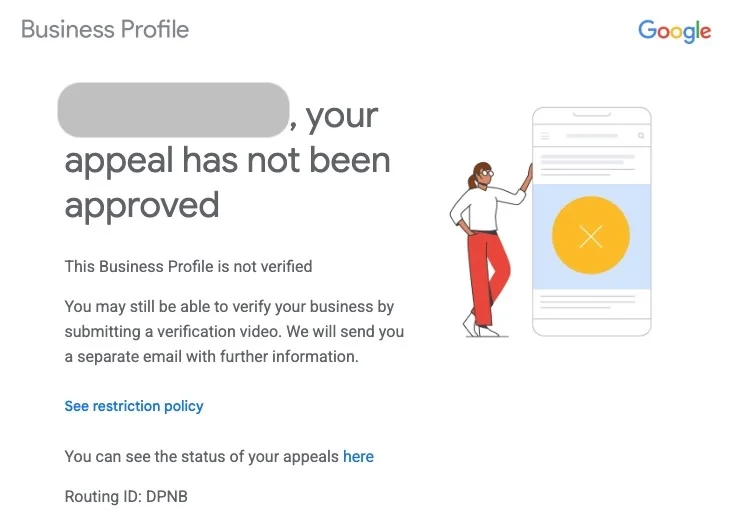
After a suspension appeal is resolved, Google has been sending an email that reads: “You may still be able to verify your business by submitting a verification video. We will send you a separate email with further information.” That separate email never arrives.
As for the profile's status? Sometimes it's verified, and no additional steps are needed.
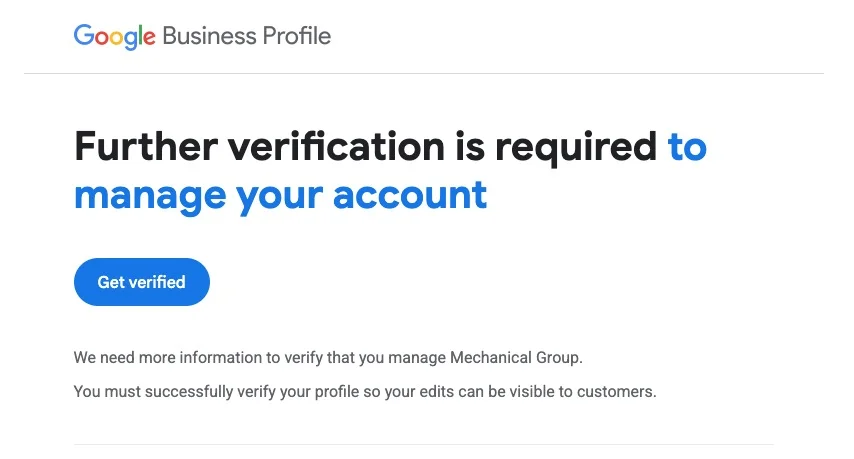
Or, sometimes the email from Google reads “Further verification is required to manage your account.” Again, the message is misleading. Often, the profile is already verified.
In my experience, the typical merchant has a hard time determining if they need to submit an appeal or shoot a verification video. (Of course they're confused. It's a total mess!) Sound familiar?
Here’s what I’ve been using to eliminate the confusion: the verification status tool.
https://support.google.com/business/workflow/12825603
It can differentiate between SIX statuses (let me know if I’ve missed any!):
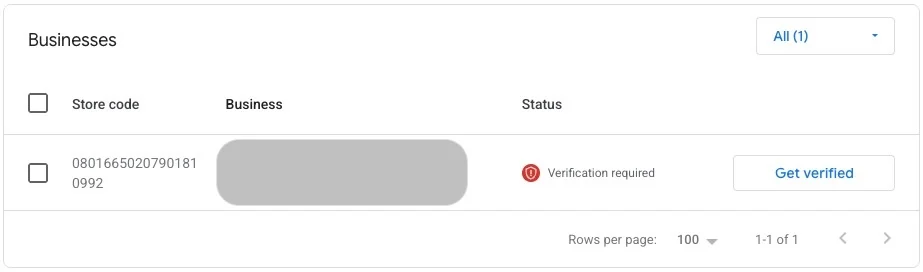
And unlike the Business Profile Manager, it gets it right. (BPM shows “Verification required” when a profile is actually disabled.)
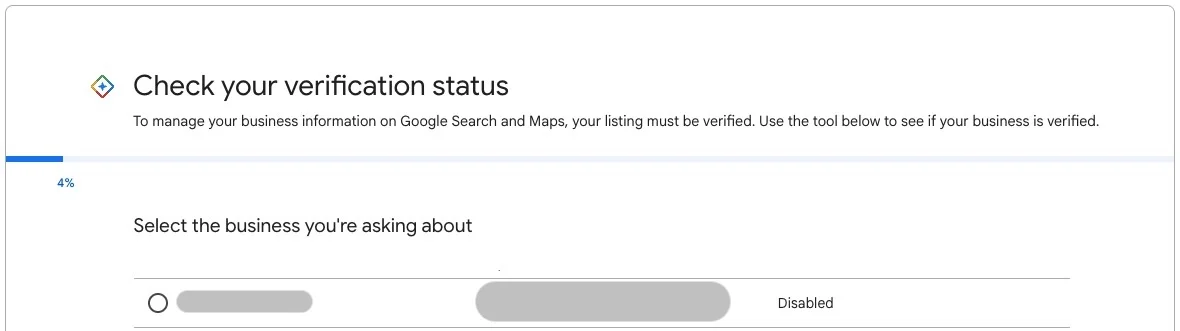
Troubleshooting a suspension/verification issue? My recommendation: start with the verification status tool, so you know exactly what you’re dealing with.
One drawback: There's no search function. If you manage hundreds or thousands of profiles, you have to scroll for days.
Other than the scrolling issue, has anyone had a bad experience with the tool? As Google's messaging gets more and more confusing, I'm finding it increasingly helpful.
As for the profile's status? Sometimes it's verified, and no additional steps are needed.
Or, sometimes the email from Google reads “Further verification is required to manage your account.” Again, the message is misleading. Often, the profile is already verified.
In my experience, the typical merchant has a hard time determining if they need to submit an appeal or shoot a verification video. (Of course they're confused. It's a total mess!) Sound familiar?
Here’s what I’ve been using to eliminate the confusion: the verification status tool.
https://support.google.com/business/workflow/12825603
It can differentiate between SIX statuses (let me know if I’ve missed any!):
- Verified
- Verification required
- Reverification required
- Disabled
- Suspended
- Duplicate
And unlike the Business Profile Manager, it gets it right. (BPM shows “Verification required” when a profile is actually disabled.)
Troubleshooting a suspension/verification issue? My recommendation: start with the verification status tool, so you know exactly what you’re dealing with.
One drawback: There's no search function. If you manage hundreds or thousands of profiles, you have to scroll for days.
Other than the scrolling issue, has anyone had a bad experience with the tool? As Google's messaging gets more and more confusing, I'm finding it increasingly helpful.